


Does It Make Sense to Upgrade to LoadRunner 11.5?
So you’re still running that old stable LoadRunner 9.5 version and wondering if you should finally upgrade to 11.5? Well, I’ll try to answer that question and more in this post about the latest and greatest features with this 11.5 release and also answer some questions about recent HP Support announcements. [LoadRunner 11.5 was released …

web_url is not a context sensitive function while web_link is a context sensitive function. Context sensitive functions describe your actions in terms of GUI objects (such as windows, lists, and buttons). If web_url statement occurs before a context sensitive statement like web_link, it should hit the server, otherwise your script will get error’ed out.

How to refresh the scripts in controller? How to create a default save as directory for VUGen and controller?

What is new in LoadRunner 9.5? Protocol advisor, Host secure Manager Utility, HP service Test integration
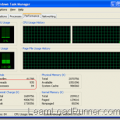
A process is the virtual address space and control information necessary for the execution of a program, while threads are a way for a program to split into two or more simultaneously running tasks.

An approximation of the cost of our load testing tool, LoadRunner, derived from a link on the old Google Answers.
Welcome to Learn LoadRunner
Help for beginners around the typical stumbling blocks with LoadRunner.
Recent Posts


Grab My Banner

Subscribe


 initiative